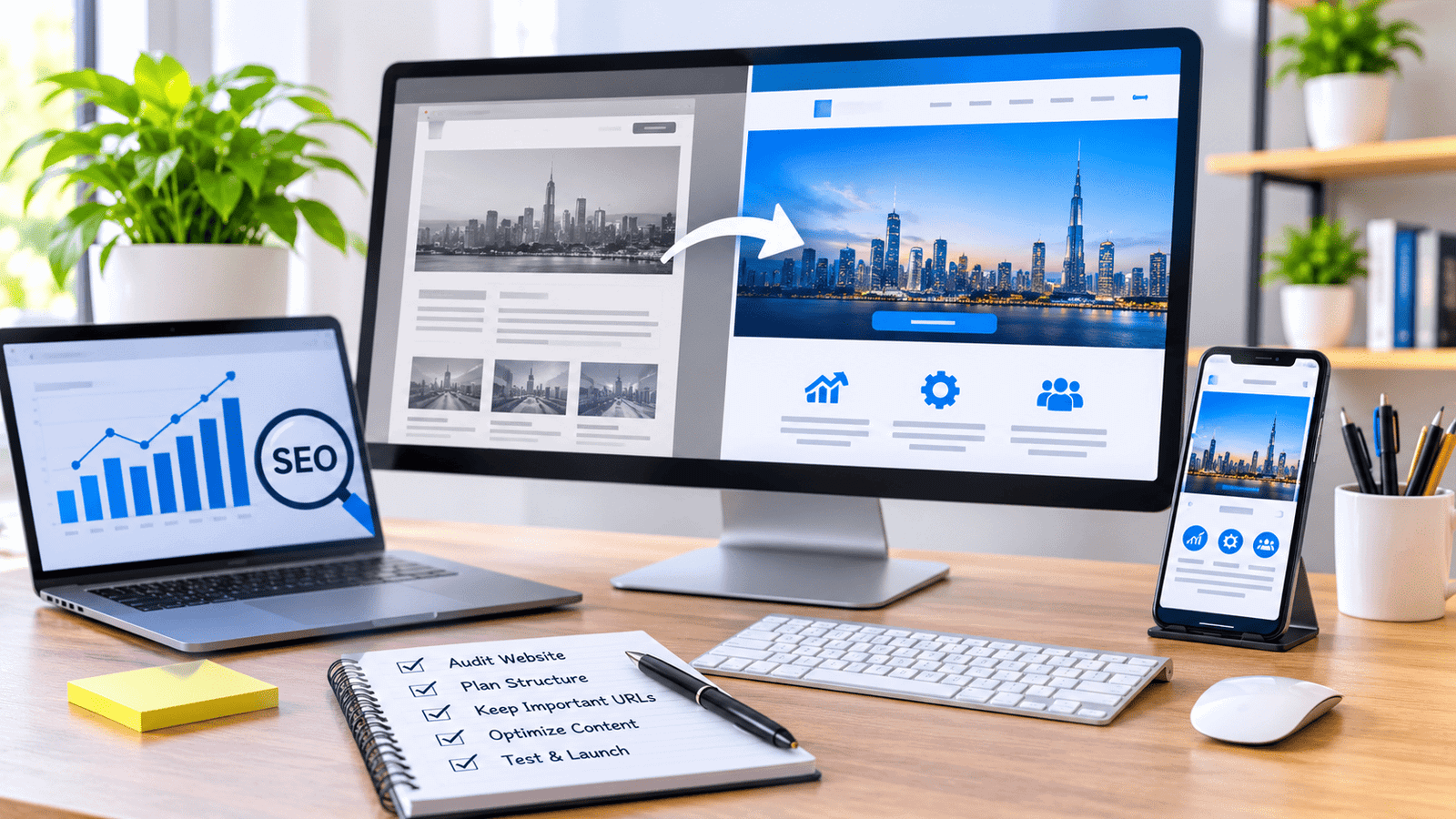
A website redesign can give your business a fresh appearance, improve navigation and make it easier for customers to find information. However, changing a website involves more than updating colours, layouts and images. If important pages, URLs or content are removed without proper planning, your website may lose valuable search visibility.
This is why website redesign SEO should be considered before development begins. A well-planned redesign can improve the user experience while protecting the search value your existing website has built over time.
Whether you run a small business website, an online store or a professional service website, understanding the redesign process can help you avoid common mistakes.
In this guide, we explain how to plan a website redesign, protect existing SEO and check everything before launching the updated website.
1. Start With an Audit of Your Existing Website
Before making any design changes, take time to understand how your current website performs. This gives you a clear picture of what is working and what needs improvement.
Start by reviewing your important pages, website traffic, search performance and existing content.
Pay attention to:
- Pages receiving regular organic traffic.
- Keywords currently bringing visitors to your website.
- Pages generating enquiries or sales.
- Existing backlinks pointing to important URLs.
- Pages with useful information that should be retained.
- Technical issues affecting website performance.
Google Search Console and Google Analytics can help you understand how visitors find and use your website.
Do not assume that an older page has no value simply because its design looks outdated. Some existing pages may attract visitors or have backlinks that are worth protecting.
A proper audit gives your development team a useful starting point and helps prevent unnecessary changes.
2. Plan the New Website Structure
A website should be easy to understand for both visitors and search engines. During a redesign, you have an opportunity to improve the way information is organised.
Start by listing your main pages and deciding how they should fit into the new navigation.
For example, a business website might include:
- Home
- About Us
- Services
- Individual Service Pages
- Portfolio
- Case Studies
- Blog
- Contact
Keep related information together and avoid creating unnecessary pages.
Your navigation should help visitors reach important information without having to click through several unrelated sections.
If you are planning a completely new website, consider how professional website development services can support the design, structure and functionality required for your business.
A clear structure also makes future content updates easier.
3. Keep Important URLs Where Possible
One of the most important parts of website redesign SEO is managing existing URLs.
Search engines may already understand and index your current website pages. If you change their addresses without proper planning, visitors and search engines may encounter broken links.
For example, imagine your existing service page uses this URL:
example.com/web-design/
During the redesign, you change it to:
example.com/website-design-services/
If the old URL is no longer available, visitors following existing links may reach a 404 error.
Whenever possible, keep important URLs unchanged.
If a URL genuinely needs to change, create a relevant 301 redirect from the old address to the correct new page.
Before launch, prepare a spreadsheet containing:
- Existing URL
- New URL
- Redirect destination
- Page status
- Notes about content changes
This simple record makes it easier to manage URL changes and check redirects after launch.
Avoid redirecting every old page to the homepage. Each redirect should lead to the most relevant replacement page.
4. Preserve Valuable Website Content
A redesign often involves rewriting headings, changing layouts and removing sections that no longer match the business.
However, removing useful content without reviewing its SEO value can create problems.
Before deleting or rewriting an existing page, consider whether it:
- Receives organic traffic.
- Targets an important search term.
- Answers a common customer question.
- Contains useful information that competitors may not provide.
- Has backlinks from other websites.
Keep content that serves a clear purpose. Improve outdated information where necessary and remove material that is genuinely irrelevant.
You should also review important page elements, including:
Page titles: Keep descriptive titles that accurately explain the page.
Meta descriptions: Write clear descriptions that encourage relevant searchers to visit.
Headings: Maintain a logical H1, H2 and H3 structure.
Images: Use relevant images with descriptive file names and alt text.
Internal links: Keep useful links between related pages so visitors can explore your website easily.
The goal is not to preserve every sentence. It is to protect useful information while making the website clearer and more helpful.
5. Make Mobile Experience a Priority
Many people browse websites using smartphones rather than desktop computers. A redesign should therefore work properly across different screen sizes.
A website that looks attractive on a desktop may become difficult to use on a smaller screen.
Check the following elements:
- Text should be readable without zooming.
- Buttons should be easy to tap.
- Navigation menus should work smoothly.
- Images should fit the screen correctly.
- Forms should be simple to complete.
- Important information should not be hidden.
Pay attention to page layouts as well. Large images, wide tables and complicated sections can make mobile browsing uncomfortable.
A responsive website design helps provide a consistent experience across smartphones, tablets and desktop devices.
Test important pages on actual mobile devices before launching the redesigned website.
6. Improve Website Speed and Performance
A redesign is a good opportunity to identify performance problems and improve how your website loads.
Large images, unnecessary plugins, excessive scripts and poorly configured hosting can affect loading speed.
Consider these practical improvements:
Optimise images: Resize images according to their display dimensions and use suitable formats such as WebP where supported.
Review plugins: Remove plugins that are no longer required and keep essential ones updated.
Use caching: Configure suitable caching to reduce repeated server processing.
Reduce unnecessary scripts: Avoid loading features and resources that do not contribute to the website experience.
Check Core Web Vitals: Review Largest Contentful Paint (LCP), Interaction to Next Paint (INP) and Cumulative Layout Shift (CLS).
Tools such as Google PageSpeed Insights can help identify performance issues and suggest improvements.
A faster website can make browsing more comfortable, particularly for visitors using slower mobile connections.
7. Check Technical SEO Before Launch
A website may look complete but still have technical problems that affect search visibility.
Before publishing the redesigned version, review the technical settings carefully.
Your pre-launch checks should include:
- Confirm that important pages return the correct HTTP status codes.
- Check that important pages are not blocked from indexing.
- Remove accidental noindex settings from pages intended for search engines.
- Review canonical URLs.
- Check internal links and navigation.
- Confirm that XML sitemaps contain the correct URLs.
- Review robots.txt settings.
- Test redirects from old URLs.
- Check that structured data is still valid where applicable.
If your website is built with WordPress, also review your SEO plugin settings before moving the new version to the live website.
A technical SEO review helps identify problems before they affect visitors and search engines.
For businesses that need help with technical checks, content optimisation and search visibility, TechWiz provides SEO services as part of its digital solutions.
8. Test the Website Before Making It Live
Never assume that a redesigned website is ready simply because the homepage looks correct.
Test the complete website before launch. This includes important pages, menus, buttons, contact forms and other interactive features.
Create a testing list covering:
- Homepage functionality.
- Service and product pages.
- Navigation menus.
- Contact forms.
- Email notifications.
- Mobile responsiveness.
- Website loading speed.
- Broken links.
- Redirects.
- Checkout and payment functions, if applicable.
If the website is built on WordPress, check that plugins, themes and other essential components work correctly.
It is also important to keep a working backup of the existing website. This provides a recovery option if something goes wrong during the migration or launch.
A staging website is useful for testing changes without affecting the live version.
9. Monitor SEO Performance After Launch
Your work does not end when the redesigned website goes live.
Monitor the website regularly to identify problems and understand how the changes are affecting performance.
Start by checking Google Search Console for indexing issues, crawl errors and changes in search performance.
Review these areas:
Indexing status: Check whether important pages are being indexed correctly.
Organic traffic: Compare website traffic with the period before the redesign.
Search impressions and clicks: Look for significant changes in search visibility.
404 errors: Identify broken URLs and correct missing redirects.
Page performance: Check whether the new website performs well on desktop and mobile devices.
Conversions: Make sure contact forms, enquiries and other important actions continue working.
Some changes in search performance may occur after a major website update. Avoid making unnecessary changes based on a few days of data. Monitor trends and investigate significant or persistent problems.
Common Website Redesign Mistakes to Avoid
Even a professionally designed website can experience problems if the redesign process is rushed.
Here are some mistakes worth avoiding:
- Deleting important pages: Review traffic, backlinks and content value before removing existing pages.
- Changing URLs without redirects: Map old URLs to relevant new destinations.
- Ignoring mobile users: Test layouts and functionality across different screen sizes.
- Forgetting technical SEO: Check indexing, canonical tags, redirects and sitemaps.
- Removing internal links: Keep useful connections between related pages.
- Launching without testing: Check forms, navigation, speed and important features before going live.
- Ignoring post-launch monitoring: Continue reviewing search performance and technical issues after launch.
Taking time to check these details can prevent avoidable problems and make the redesign process more manageable.
How TechWiz Can Help With Your Website Redesign
A successful redesign needs a balance between design, functionality, performance and search visibility.
TechWiz Smart Digital Solutions offers website development, e-commerce solutions, SEO and ongoing WordPress support for businesses looking to improve their online presence.
From planning the website structure to building responsive layouts and reviewing technical performance, the right approach can help create a website that is easier for customers to use and manage.
You can learn more about TechWiz and its digital solutions to understand how its services support different business needs.
Frequently Asked Questions
Can a website redesign affect Google rankings?
Yes. A redesign can affect rankings if important URLs, content, redirects or technical SEO settings are changed incorrectly. Proper planning and testing can help reduce these risks.
Should I change my website URLs during a redesign?
Not necessarily. If existing URLs are working well, keeping them is often the simpler option. If changes are required, use relevant 301 redirects.
How do I protect SEO during a website redesign?
Start with a website audit, record important URLs, preserve valuable content, maintain internal links, configure redirects and check technical SEO before launch.
Should SEO be done before or after a website redesign?
SEO should be considered before development begins. Planning early helps protect existing search visibility and ensures the new website has a suitable structure.
How long does a website redesign take?
The timeline depends on the website’s size, design requirements, functionality and content. A simple business website may take less time than a large e-commerce platform with custom features.
Do I need a website backup before redesigning?
Yes. A complete backup of your existing website provides a recovery option if technical problems occur during development or migration.
Final Thoughts
A website redesign is an opportunity to improve how your business looks and performs online. However, protecting existing SEO should remain part of the process from the beginning.
Start with an audit, plan your website structure, preserve valuable content and manage URL changes carefully. Test the new website before launch and continue monitoring its performance afterwards. With proper planning, you can create a more useful website without unnecessarily putting your existing search visibility at risk.